> ## Documentation Index
> Fetch the complete documentation index at: https://docs.sinkove.com/llms.txt
> Use this file to discover all available pages before exploring further.
# API Keys Management
> Manage your API keys for programmatic access to Sinkove
## Overview
API keys provide programmatic access to Sinkove services through our REST API and Python SDK. Use API keys to authenticate requests and automate dataset generation and management workflows.
## Generating API Keys
To create a new API key:
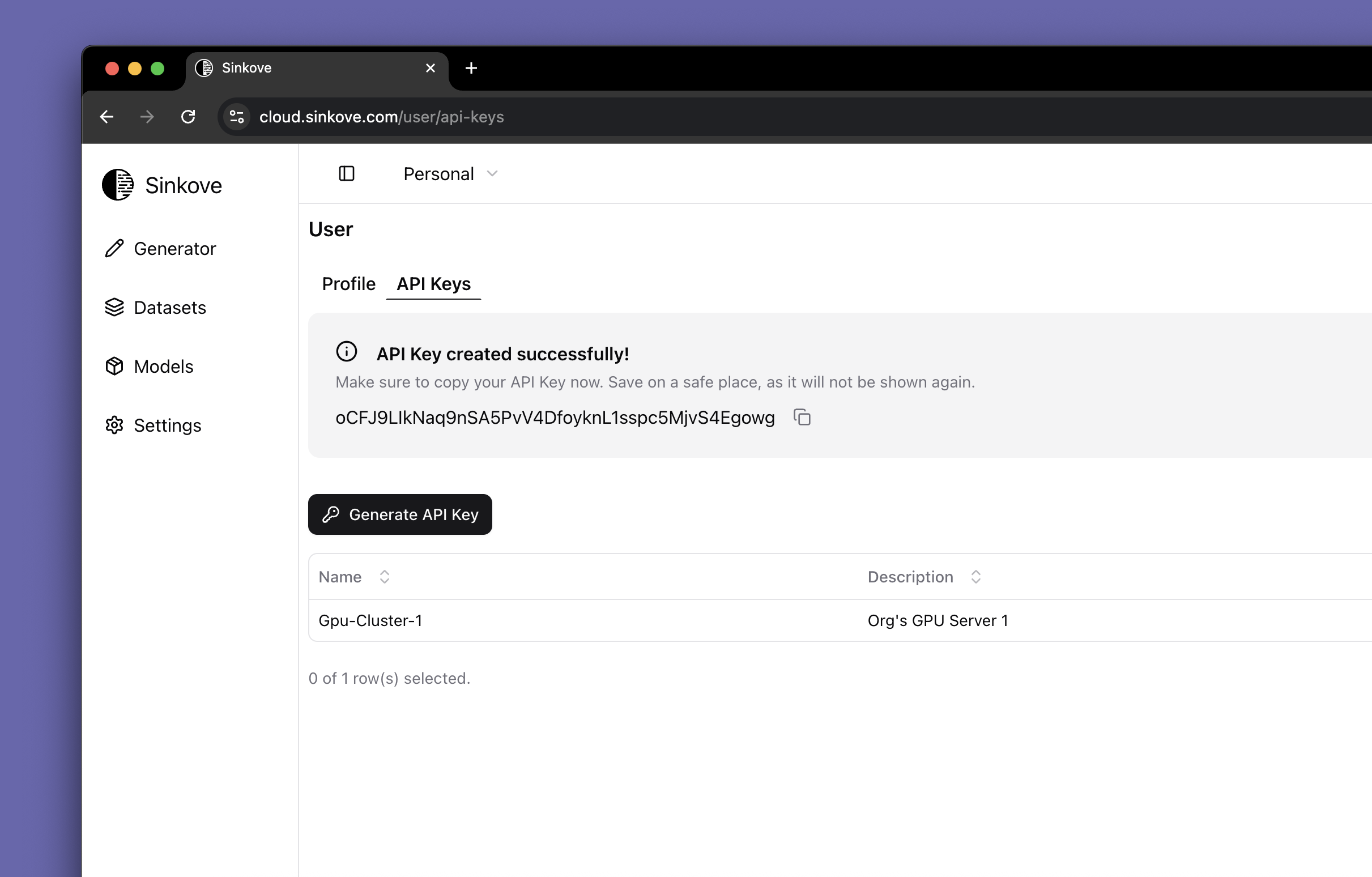
1. **Navigate to Profile**: Log in to your Sinkove account and go to **Profile (top right corner) > API Keys**
2. **Generate Key**: Click **Generate API Key** to create a new API key
3. **Secure Storage**: Copy and securely store your API key immediately
The API key is only visible for a short time after generation. If you lose it,
you can generate a new one.
See image below:
 ## Using API Keys
### Python SDK Authentication
```python theme={null}
import sinkove as sk
# Initialize client with your API key
client = sk.client("your_API_KEY_here")
# Your API key is now ready for use
datasets = client.list_datasets()
```
### REST API Authentication
Include your API key in the request headers:
```bash theme={null}
curl -X GET "https://api.sinkove.com/datasets" \
-H "Authorization: Bearer your_API_KEY_here" \
-H "Content-Type: application/json"
```
Store your API key in environment variables for better security:
```bash theme={null}
export SINKOVE_API_KEY="your_api_key_here"
```
Then reference it in your code:
```python theme={null}
import os
import sinkove as sk
api_key = os.getenv("SINKOVE_API_KEY")
client = sk.client(api_key)
```
## Best Practices
### Security
* **Environment Variables**: Store API keys in environment variables, not in code
* **Rotate Regularly**: Generate new API keys periodically and deactivate old ones
* **Principle of Least Privilege**: Use separate API keys for different applications when possible
### Usage
* **Error Handling**: Implement proper error handling for authentication failures
* **Rate Limiting**: Respect API rate limits to ensure reliable service
* **Monitoring**: Monitor API key usage through your dashboard
## Troubleshooting
### Common Issues
**Invalid API Key Error**
* Verify the API key is copied correctly without extra spaces
* Ensure the API key hasn't been revoked or expired
* Check that you're using the correct authentication format
**Permission Denied**
* Confirm your account has the necessary permissions
* Verify the API key is associated with the correct account
* Contact support if permissions issues persist
### Getting Help
If you experience issues with API key authentication:
* Review the [API Reference](/api-reference/introduction) for authentication details
* Check your account dashboard for API key status
* Contact support at [support@sinkove.com](mailto:support@sinkove.com) for assistance
Learn how to use your API key with our Python SDK
{" "}
## Using API Keys
### Python SDK Authentication
```python theme={null}
import sinkove as sk
# Initialize client with your API key
client = sk.client("your_API_KEY_here")
# Your API key is now ready for use
datasets = client.list_datasets()
```
### REST API Authentication
Include your API key in the request headers:
```bash theme={null}
curl -X GET "https://api.sinkove.com/datasets" \
-H "Authorization: Bearer your_API_KEY_here" \
-H "Content-Type: application/json"
```
Store your API key in environment variables for better security:
```bash theme={null}
export SINKOVE_API_KEY="your_api_key_here"
```
Then reference it in your code:
```python theme={null}
import os
import sinkove as sk
api_key = os.getenv("SINKOVE_API_KEY")
client = sk.client(api_key)
```
## Best Practices
### Security
* **Environment Variables**: Store API keys in environment variables, not in code
* **Rotate Regularly**: Generate new API keys periodically and deactivate old ones
* **Principle of Least Privilege**: Use separate API keys for different applications when possible
### Usage
* **Error Handling**: Implement proper error handling for authentication failures
* **Rate Limiting**: Respect API rate limits to ensure reliable service
* **Monitoring**: Monitor API key usage through your dashboard
## Troubleshooting
### Common Issues
**Invalid API Key Error**
* Verify the API key is copied correctly without extra spaces
* Ensure the API key hasn't been revoked or expired
* Check that you're using the correct authentication format
**Permission Denied**
* Confirm your account has the necessary permissions
* Verify the API key is associated with the correct account
* Contact support if permissions issues persist
### Getting Help
If you experience issues with API key authentication:
* Review the [API Reference](/api-reference/introduction) for authentication details
* Check your account dashboard for API key status
* Contact support at [support@sinkove.com](mailto:support@sinkove.com) for assistance
Learn how to use your API key with our Python SDK
{" "}