> ## Documentation Index
> Fetch the complete documentation index at: https://docs.sinkove.com/llms.txt
> Use this file to discover all available pages before exploring further.
# Organizations
> Manage your organizations
## Overview
Organizations are the top-level entities in Sinkove. They are used to group users, models, and datasets.
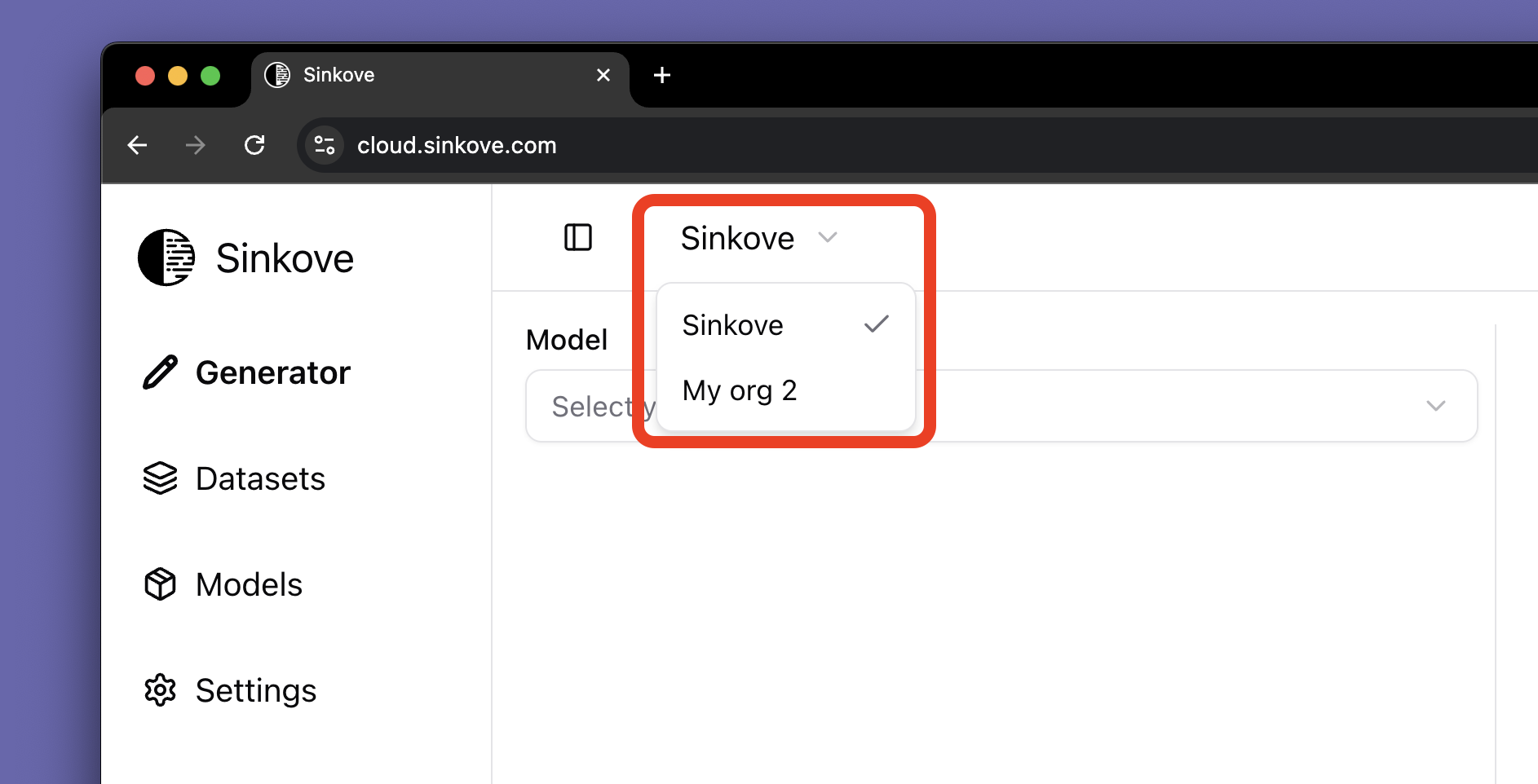
Your current organization is displayed in top left corner of the Sinkove dashboard as in the image below:
 ## Creating an Organization
To create a new organization:
1. **Navigate to Settings**: Log in to your Sinkove account and go to **Settings > Organizations**
2. **Create Organization**: Click **Create Organization** to create a new organization
## Adding Members to an Organization
1. **Navigate to Settings**: Log in to your Sinkove account and go to **Settings > Team**
2. **Add User**: Click **Add User** to add a new user to the organization
3. **Enter Email**: Enter the email of the user you want to add
## Getting Help
If you experience issues with adding members to an organization:
* Contact support at [contact@sinkove.com](mailto:contact@sinkove.com) for assistance
Learn how to use Organizations with our Python SDK
## Creating an Organization
To create a new organization:
1. **Navigate to Settings**: Log in to your Sinkove account and go to **Settings > Organizations**
2. **Create Organization**: Click **Create Organization** to create a new organization
## Adding Members to an Organization
1. **Navigate to Settings**: Log in to your Sinkove account and go to **Settings > Team**
2. **Add User**: Click **Add User** to add a new user to the organization
3. **Enter Email**: Enter the email of the user you want to add
## Getting Help
If you experience issues with adding members to an organization:
* Contact support at [contact@sinkove.com](mailto:contact@sinkove.com) for assistance
Learn how to use Organizations with our Python SDK